Add New Publication
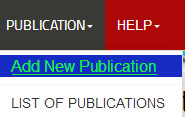
Step-1 Click on the PUBLICATION at the header of application, the drop down menu will open and you have to click on ADD NEW PUBLICATION
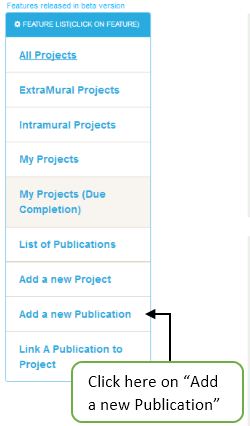
Or you can Add New Publication by Clicking on Dashboard left panel
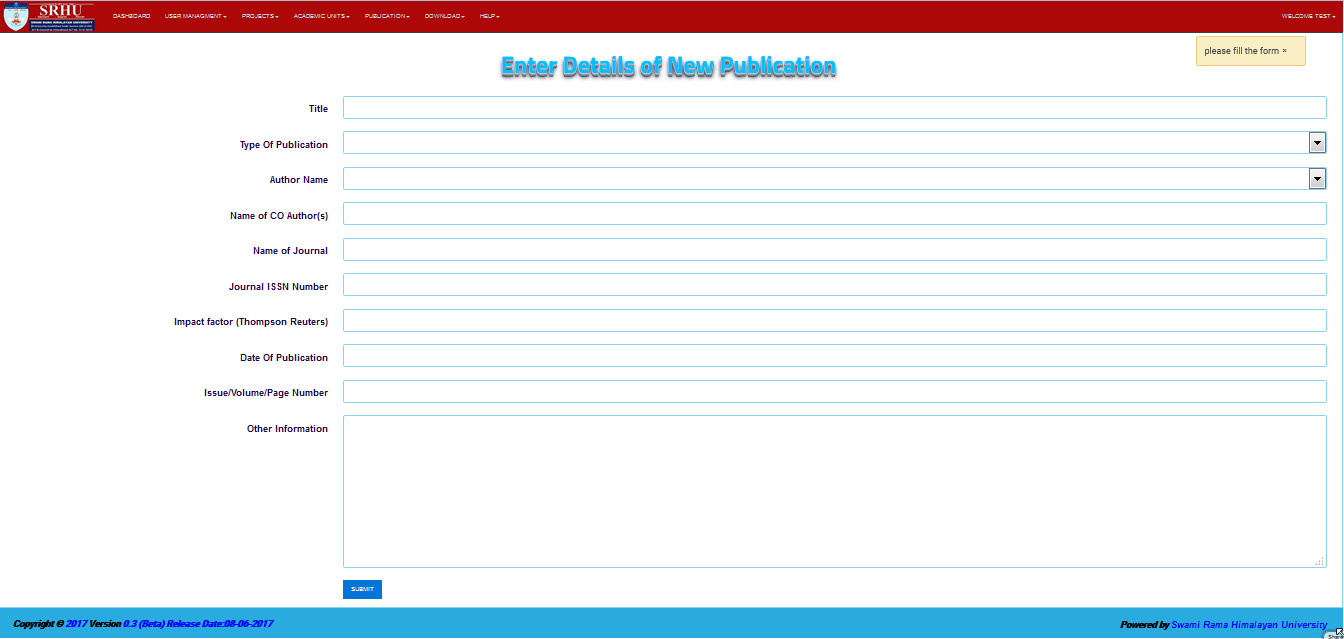
Step-2 The Add New Publication form will open
Step-3 So now fill all the field which shown in the form and then click on the submit button
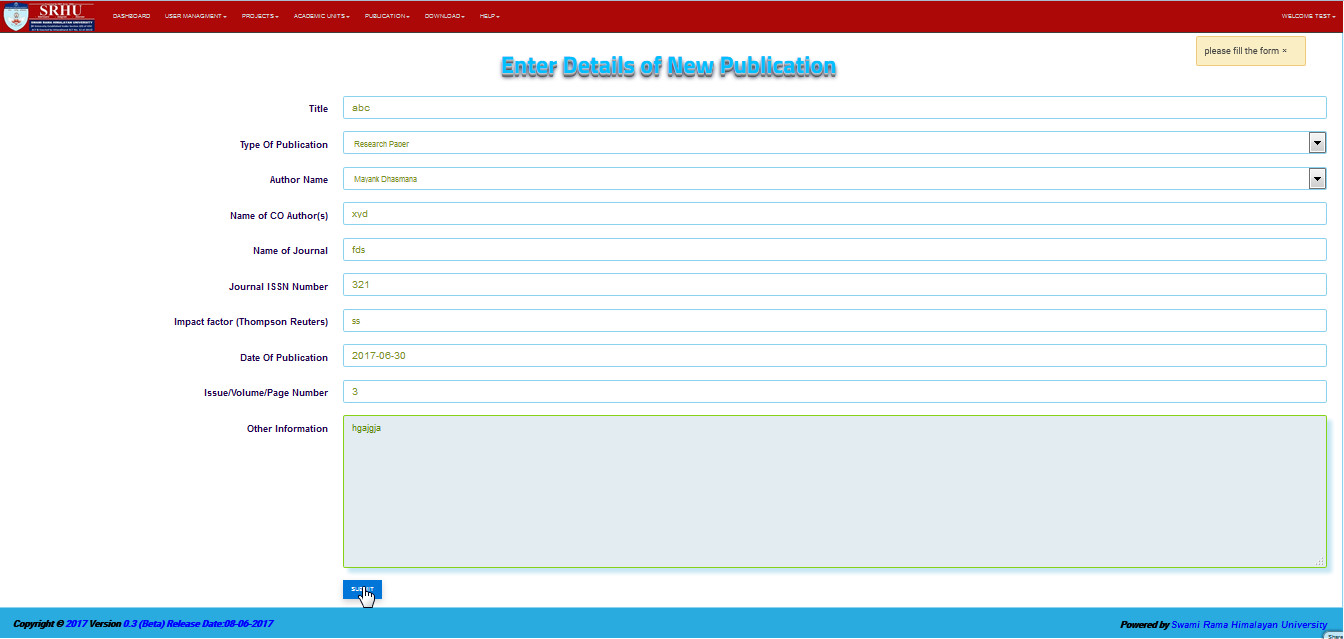
step 4- Finally, The new user will created