Himalayan School Of Engineering and Technology
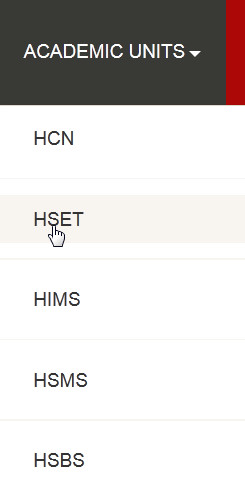
step 1. - Click on the ACADMIC_UNIT Link at the header of application, the drop down menu will open and you have to click on HSET
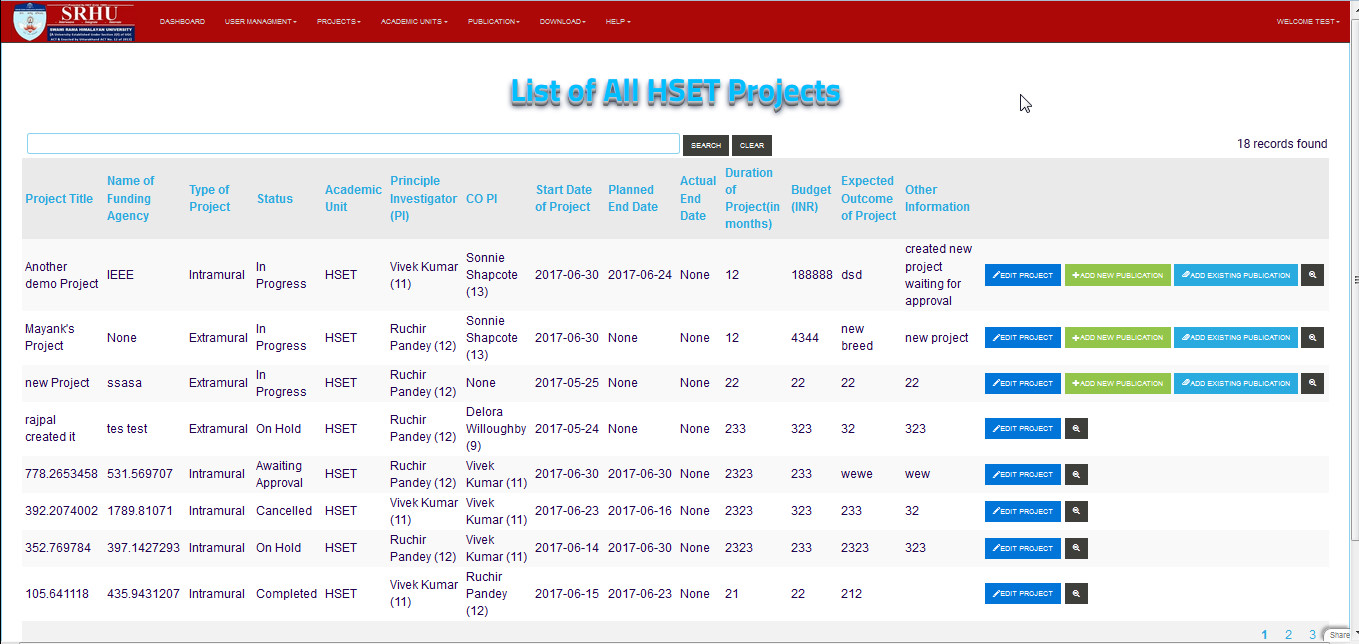
step 2. - So List of Himalayan School Of Engineering and Technology(HSET) will displayed
Note
you can directoly search a specific user by using search bar

There are some more operation are perform in the Himalayan School Of Engineering and Technology(HSET) list. These are-
Note
you can directoly Add/Remove/Edit by clicking on the following buttons

EDIT PROJECT Button :
This button is used to edit projects details

ADD NEW PUBLICATION Button :
This button is used to add new publication

ADD EXISTING PUBLICATION Button :
This button is used to add existing publication

VIEW Button :
This button is used to view details of a perticular project